
Imagine a sales team in Jaipur that sells coaching courses. Every enquiry arrives on WhatsApp. The team lives in a CRM, but the conversations live on phones. The CRM shows a lead record. The real deal sits in a chat nobody else can see.
The CRM is not broken. It was simply built around email, calls and forms, and WhatsApp was added later.
For a team like this, the question is not “which CRM is best”. It is “what must a CRM do for WhatsApp selling, and does mine do it?”
Supersei is a CRM for Indian sales teams that brings WhatsApp chats, Meta and Google ad leads and follow-ups into one place. This guide is a vendor-neutral checklist you can use to test any CRM, Supersei and Zoho included.
When is it worth looking for a Zoho CRM alternative?
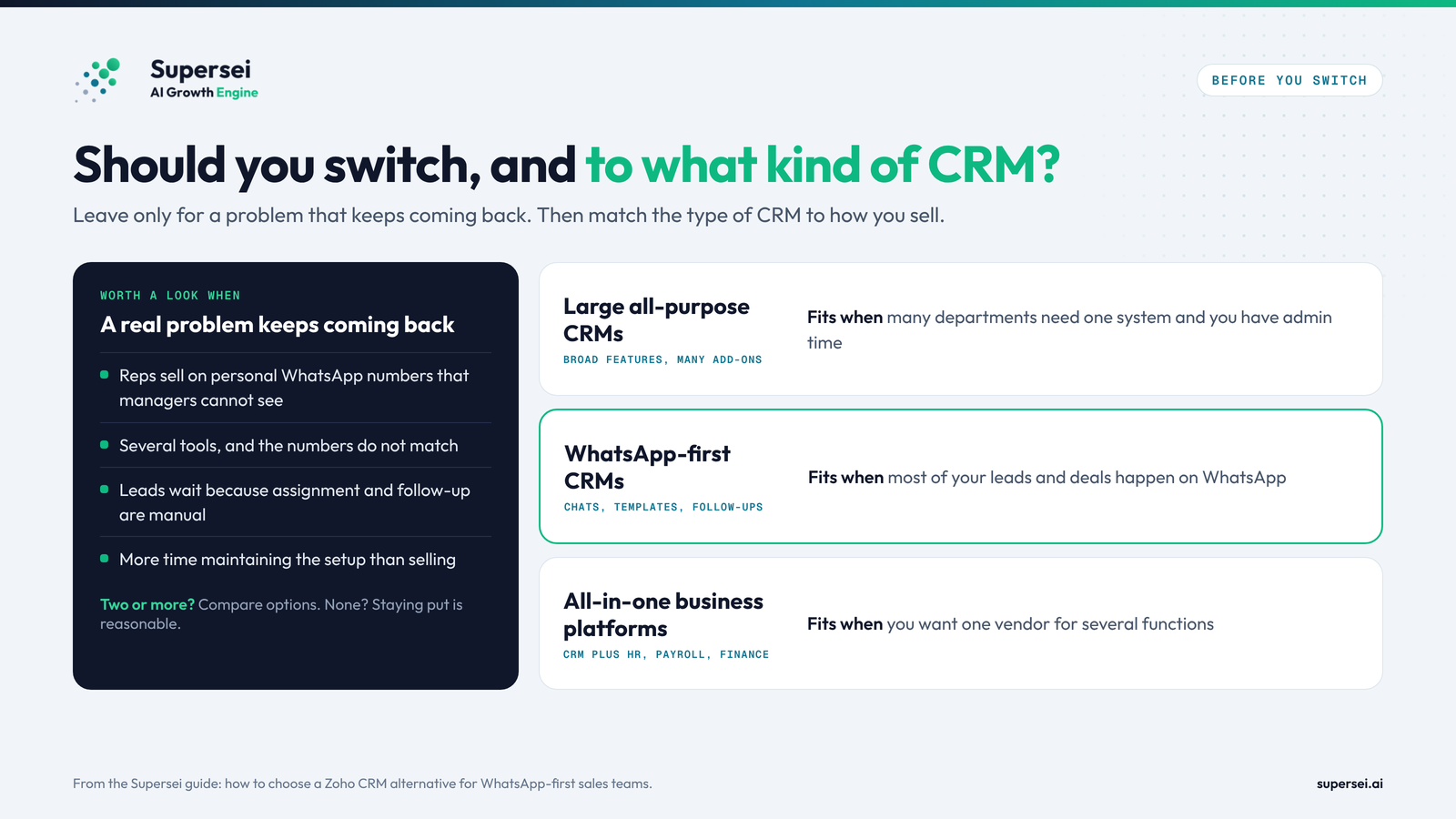
Not every team should leave. Moving a CRM takes time, retraining and clean data. It is worth considering only when a real problem keeps coming back.
- Reps still sell on personal WhatsApp numbers, and managers cannot see the conversations.
- You pay for several tools (CRM, WhatsApp messaging, ad tracking) and the numbers do not match.
- Leads wait because assignment and follow-up are manual.
- Your team spends more time maintaining the setup than selling.
If none of these sound familiar, staying put is a reasonable answer. If two or more do, read on.
How does Zoho CRM connect to WhatsApp?
Start from the facts. Zoho’s help centre says its WhatsApp integration needs a verified business, a Facebook Business Manager account, a WhatsApp Business account and a phone number registered for the WhatsApp Business API, and that the number cannot be one used on other products (Zoho CRM Help, “Business messaging using WhatsApp for Business”, checked November 2026).
The same page says the integration is available in the trial and all paid editions. It does not say whether a trial account can buy WhatsApp credits or send business messages, so ask Zoho before you rely on a trial. It also says that message templates need Meta’s approval before use, and that templates can be added as actions in workflow rules, Blueprint and Journey Builder (Zoho CRM Help, same page).
This means Zoho uses the official business API route. It also means you need a number registered for that API, and a number already in use on other products cannot be used for the integration. The page on WhatsApp CRM shows how Supersei approaches it. Our article on the difference between the WhatsApp Business API and personal WhatsApp explains why that matters.
What does WhatsApp cost on top of the CRM?
WhatsApp is not free to run at scale, and the cost sits outside the CRM seat price. Meta states that from 1 July 2025 it charges on a per-message basis, replacing conversation-based pricing, and that non-template messages are free inside an open 24-hour customer service window (Meta for Developers, “Pricing on the WhatsApp Business Platform”, checked November 2026).
Zoho’s page says messages sent by the business are charged and refers readers to Meta’s pricing for the rates (Zoho CRM Help, same page). That page still describes conversation-based pricing, so check current rates with the vendor.
This means any CRM comparison should ask two money questions: what is the seat price, and who pays for WhatsApp messages and how are they billed? A low seat price can hide a large message bill.
The five-point comparison to run before you switch
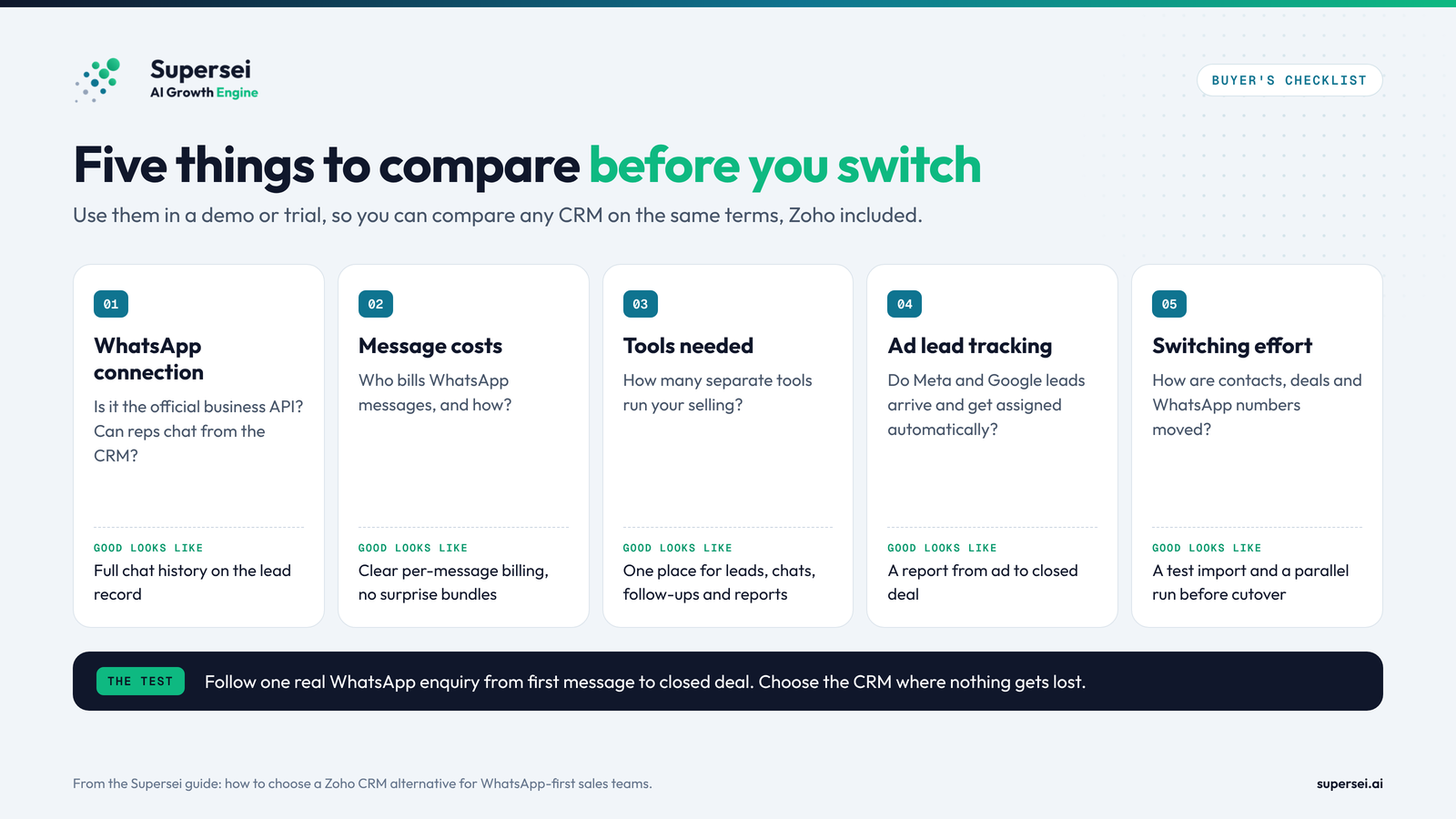
Use these in a demo or trial. Each has a “good looks like” answer, so you can compare vendors on the same terms. Our CRM comparison page puts several options side by side.
| What to check | Question to ask | Good looks like |
|---|---|---|
| 1. WhatsApp connection | Is it the official business API? Can reps also chat from the CRM? | Official API, with the full chat history shown on the lead record |
| 2. Message costs | Who bills WhatsApp messages, and how? | Clear per-message billing, shown in the CRM, no surprise bundles |
| 3. Tools needed | How many separate tools run your selling? | One place for leads, chats, follow-ups and reports |
| 4. Ad lead tracking | Do Meta and Google leads arrive and get assigned automatically? | Direct connection, assignment rules, and a report from ad to closed deal |
| 5. Switching effort | How are contacts, deals and WhatsApp numbers moved? | A written plan, a test import, and a parallel run before cutover |
The fourth point matters more than most buyers expect. If you run ads, how leads reach your reps decides how fast they are called. Our article on ad attribution beyond cost per lead goes deeper on tracking results from ad to closed deal.
What are good alternatives to Zoho CRM for WhatsApp-first sales teams?
If you are searching for a Zoho alternative, it is easier to group options by what they are built for than to rank products. Most Zoho CRM alternatives fall into one of three types.
| Type | Built around | Fits best when |
|---|---|---|
| Large all-purpose CRMs | Broad features, many add-ons | You need many departments on one system and have admin time |
| WhatsApp-first CRMs | Chats, templates and follow-ups on WhatsApp | Most of your leads and deals happen on WhatsApp |
| All-in-one business platforms | CRM plus HR, payroll and finance | You want one vendor for several functions and accept a wider scope |
This guide helps you decide how to choose. To see how Supersei compares with Zoho, read the product comparison.
Common mistakes when switching CRM
1. Comparing seat prices only
Seat price is one line. WhatsApp message costs, add-on tools and setup time often matter more.
2. Switching without a test import
Import a small sample first. Check that contacts, owners and chat history appear correctly.
3. Leaving the WhatsApp number move unplanned
The number has to be registered on the WhatsApp Business API and may stop working on the old tool when it moves. Plan the date and tell your team.
4. Forgetting the team
A CRM works only if reps use it. Include two or three reps in the trial and ask what slows them down.
Three quick examples
These scenarios are illustrative examples, not real client results.
Scenario A: a coaching institute in Jaipur. Most enquiries come from WhatsApp, but chats stay on personal phones. Result: managers cannot see which leads were answered. The fix is an official API connection with chats on the lead record, not a different brand name.
Scenario B: a real estate team in Pune. The CRM is cheap per seat, but WhatsApp, ad tracking and a dialer are three separate bills. Result: the team compares the total monthly cost and finds the cheap seat price was misleading.
Scenario C: a loan agency in Surat. Leads come from forms and calls, and WhatsApp is a minor channel. Result: the team stays on its current CRM and fixes its assignment rules instead. Switching was not the answer.
What should you do this week?
Step 1: Write down your top three problems
List what actually goes wrong: unseen chats, slow follow-up, high costs. If you cannot name three, you may not need to switch.
Step 2: Run the five-point comparison on two options
Use Table 1. Include your current CRM, so the comparison is fair. If HubSpot is on your list, the page on HubSpot alternatives covers that comparison. Ask each vendor to show a live test lead and a live WhatsApp chat on the lead record.
Step 3: Plan the move on paper
If one option wins, write down the import steps, the WhatsApp number move and a parallel-run week. When you want to see this with your own leads, you can book a demo.
Frequently asked questions
Does Zoho CRM work with WhatsApp?
Yes. Zoho’s help centre describes a WhatsApp integration that uses Meta’s business API and is available in the trial and all paid editions. It needs a verified business, a Facebook Business Manager account and a phone number registered for the API. Zoho’s page does not say whether trial accounts can buy credits or send business messages, so check that before you start.
Can I keep my current WhatsApp number when I switch CRM?
It depends on the new tool and on whether the number is already registered on the API. Zoho’s page says a number used on other products cannot be used for its integration, so ask each vendor how a number move works.
Is it cheaper to leave Zoho CRM?
Not always. Compare the full monthly cost: seats, WhatsApp messages, add-ons and setup. Meta charges per message from 1 July 2025, so message volume matters as much as seat price.
What is a WhatsApp-first CRM?
A CRM built so that WhatsApp chats, templates and follow-ups are part of the main workflow, not an add-on. The chat sits on the lead record and reps do not need a second app.
How long does it take to switch CRM?
It depends on how much data you move and how many reps you train. Plan a test import, a parallel-run week and a clear cutover date, instead of switching on a busy day.
Should small teams switch at all?
Only when a repeated problem justifies the effort. If your current CRM does what you need, fixing rules and training is cheaper than moving.
Bottom line
- Leave only for a problem that keeps coming back.
- Ask how WhatsApp connects, not whether it does.
- Compare the full monthly cost, not the seat price.
- Test a real lead and a real chat.
- Plan the move before you start it.
Before you sign anything, take one real WhatsApp enquiry and follow it from the first message to a closed deal in each option. Choose the CRM where nothing gets lost.
Want to see lead capture and WhatsApp selling on your own leads? Book a demo with Supersei.